Quick Start
Please check MagentaRealtime2 > BP_MinimumExample in the plugin content.
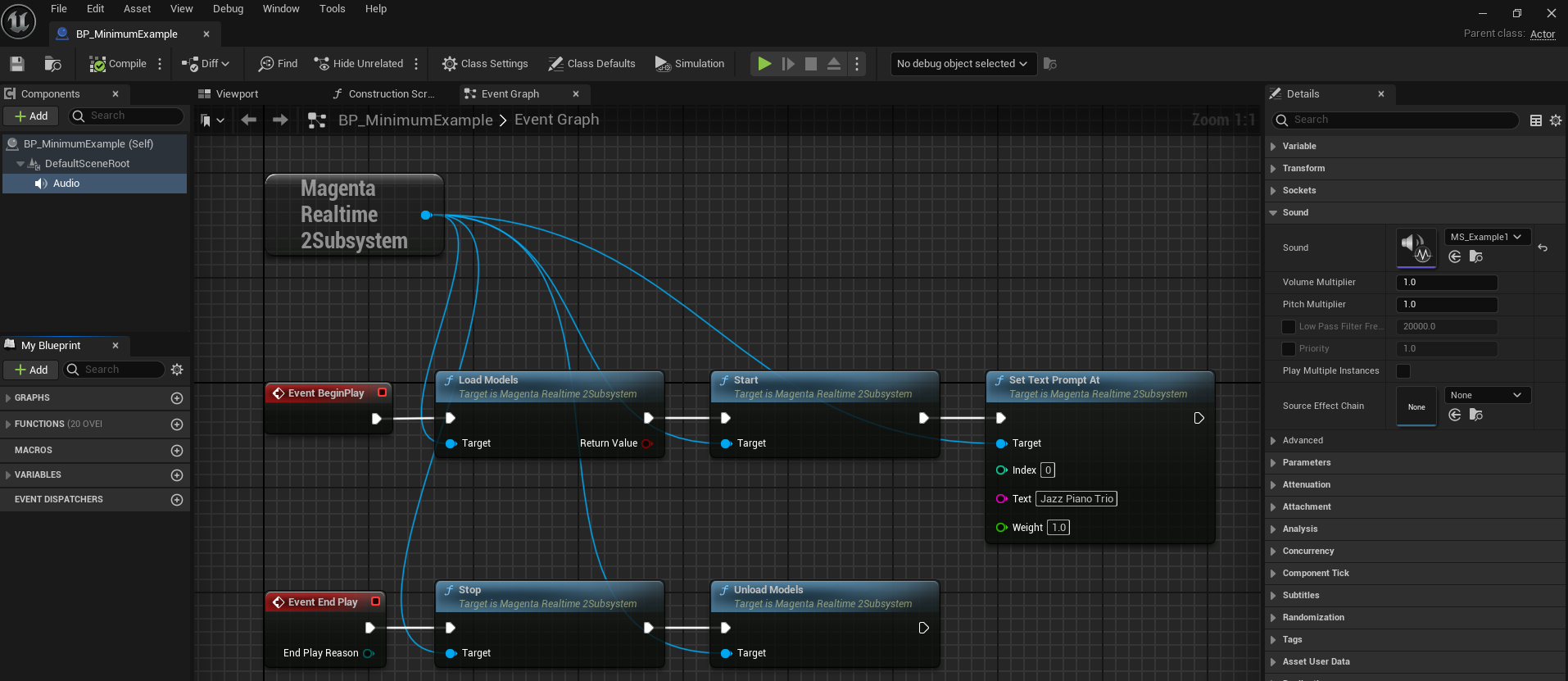
BeginPlay
- First, load the AI models required for music generation into memory using the
load_modelsfunction. - Start the audio generation thread using the
startfunction. - Set prompts using the
set_text_prompt_atfunction.
Play
- Set "Sound" of the Audio component to
MS_Example1. The generated audio will be played inside it.
EndPlay
- Stop the audio generation thread using the
stopfunction. - Release the AI models required for music generation from memory using the
unload_modelsfunction.
Loading & Unloading Models
- If
startis executed while the model is not yet loaded, the model will be loaded automatically. - Models are automatically unloaded when UE shuts down.
-
If you set "Initialization" in "Project Settings > Plugins > Magenta Realtime 2" to "Load models" or "Load models and start loop (default value)", models will be loaded automatically on UE startup. In the case of "Load models and start loop", the
startfunction will also be executed automatically.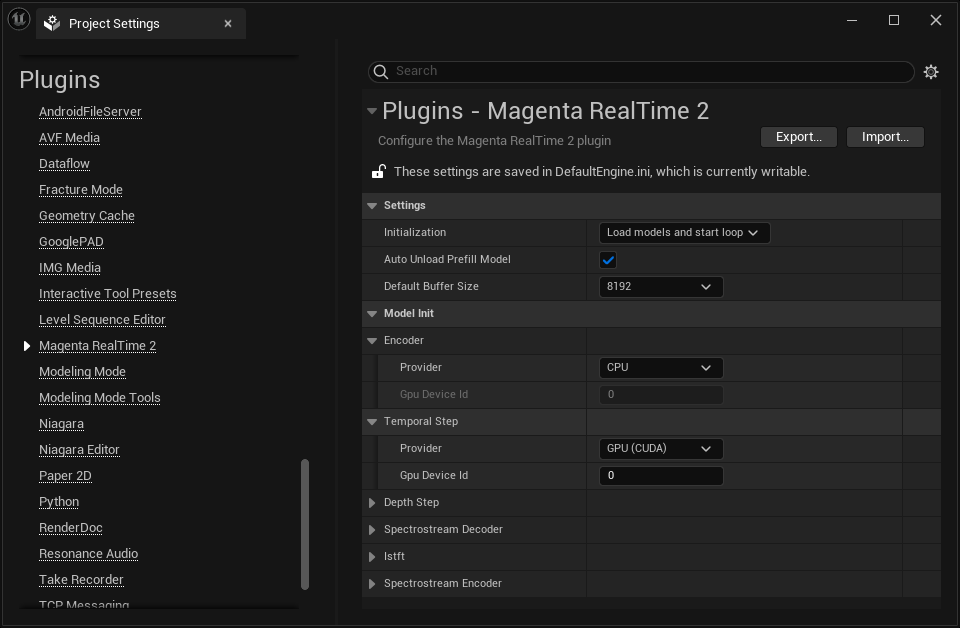
-
Under "Model Init" in Project Settings, you can specify whether to run each model on CPU or GPU (CUDA). When running on GPU (CUDA), you can also specify the GPU Device ID. Default values are usually fine. Note that some models do not support CPU execution.
API Reference
- For C++ (or AI agents), see
MagentaRealtime2Subsystem.h. - For Blueprints (BP),
MagentaRealtime2 > Example1 > WB_Example1in the plugin content covers most basic usage.