Set Weight
Sets the contribution of the each prompt as a weight.
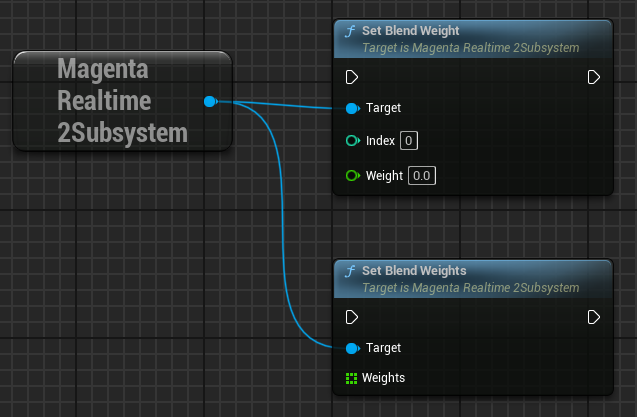
You can set the weight for an individual slot using the set_blend_weight function.
- Index: The slot index (0–5) to set the weight for.
- Weight: Weight value.
You can set weights for all slots at once using the set_blend_weights function. When modifying weights for multiple slots, this is more efficient because internal recalculation is performed only once.
- Weights: Array of weights. Element index corresponds to slot index. Elements beyond the 6th (index 6+) are ignored.
Normalization
Weights are normalized internally so that the sum of the absolute values of all slot weights equals 1.
Negative Weights
In this plugin, Magenta Realtime 2 itself has been modified so that the normalization process functions properly even when negative values are set as weights. By setting negative values, the prompt is expected to act as a "negative prompt", but this is an experimental feature.
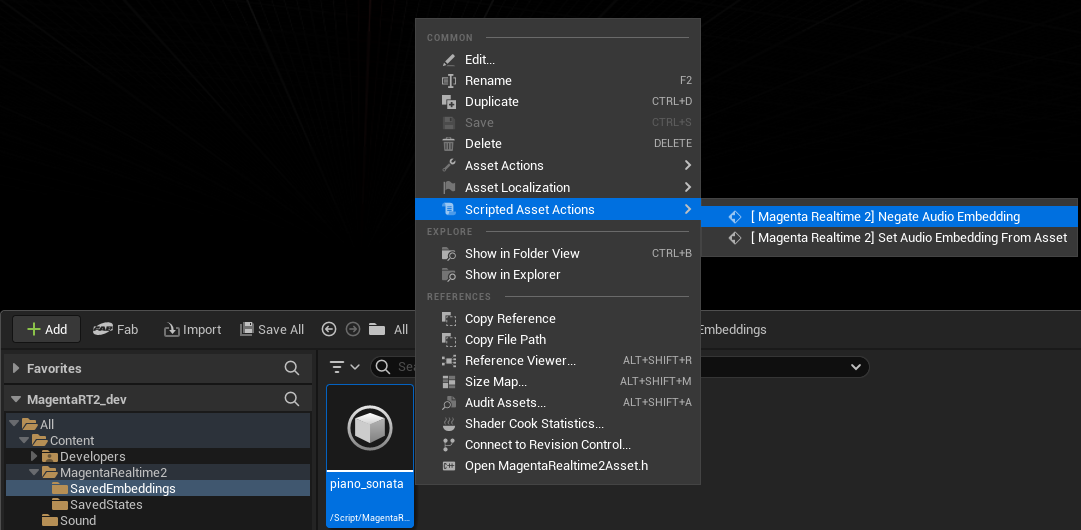
Negating the Sign of Saved Embeddings
Right-clicking a MagentaRealtime2SavedEmbedding asset in the Unreal Editor Content Browser and selecting "Scripted Asset Actions > [ Magenta Realtime 2] Negate Audio Embedding" multiplies each float value of the specified embedding by -1 and saves it. This produces the same behavior as setting a negative weight.